The hour-by-hour itinerary template
A simple table, four rules of thumb, and one filled-in Kyoto day to copy.
Updated 11 September 2026
An hour-by-hour itinerary is not a promise to be somewhere at 10:40. It is a way of finding out, before you leave, whether the day in your head fits the day you actually have. This page gives you a template to copy, the rules of thumb that make a day work, and the quick way to get the same result in DimTrip, where the assistant writes the hours for you.
The template
Copy this into any document, one table per day.
| Time | Stop | Notes |
|---|---|---|
| 09:00 | ||
| 12:30 | Lunch | |
| 17:00 | ||
| 19:00 | Dinner |
Three columns are enough. Use the notes for the things that decide whether a stop works: how you get there, whether it needs a booking, and when it closes.
Four rules of thumb
1. Two or three anchors a day. Anchors are the things with a fixed time or a real queue: a museum slot, a booked restaurant, a temple that is only quiet at 8. Everything else is filler that can move. A day with more than three anchors is two days.
2. Ninety minutes for a major sight, forty-five for a minor one. That includes the walk from the gate, the photos and the shop. Most people underestimate this by half.
3. Group the day by area. Pick a part of the city each morning and stay in it. Crossing town twice in one day is the most common reason a plan falls apart by mid-afternoon.
4. One empty hour, on purpose. Put it somewhere after lunch. It absorbs everything that ran long, and it gives you the afternoon you did not plan, which is often the best part.
A filled-in example: Kyoto's east side
| Time | Stop | Notes |
|---|---|---|
| 07:30 | Fushimi Inari | JR Nara line, two stops from Kyoto Station. Up to the viewpoint and back takes about 90 minutes. |
| 09:30 | Coffee near the station | The empty half hour. |
| 10:15 | Kiyomizu-dera | Anchor: busy from about 11. |
| 12:30 | Lunch, Sannenzaka | Downhill from the temple; no booking needed. |
| 14:00 | Free hour | The shops on Ninenzaka, or a bench. |
| 15:00 | Kodai-ji | 45 minutes. |
| 16:15 | Yasaka Shrine and Maruyama Park | Filler: moves if the day runs late. |
| 17:30 | Gion, Hanamikoji | Anchor: the lanterns come on at dusk. |
| 19:00 | Dinner, Pontocho | Booked, so the evening cannot drift. |
Three anchors, one empty hour, and a booked dinner. That day works. For all four days, see Kyoto and Osaka in 4 days.
Where it goes wrong
- Optimistic starts. If the group has never left a hotel before 9:30, do not plan a day that begins at 8.
- Meals with no location. "Lunch" with no place near the previous stop turns into an hour of walking and arguing. At least pick a neighbourhood.
- Closing days. Museums, gardens and markets keep their own calendars. Check the day of the week for every anchor once, when you write it in.
- Last trains. In most cities the last train leaves around midnight. If dinner is across town, the evening has a deadline, so write it in the notes.
The quick way: let the assistant write the hours
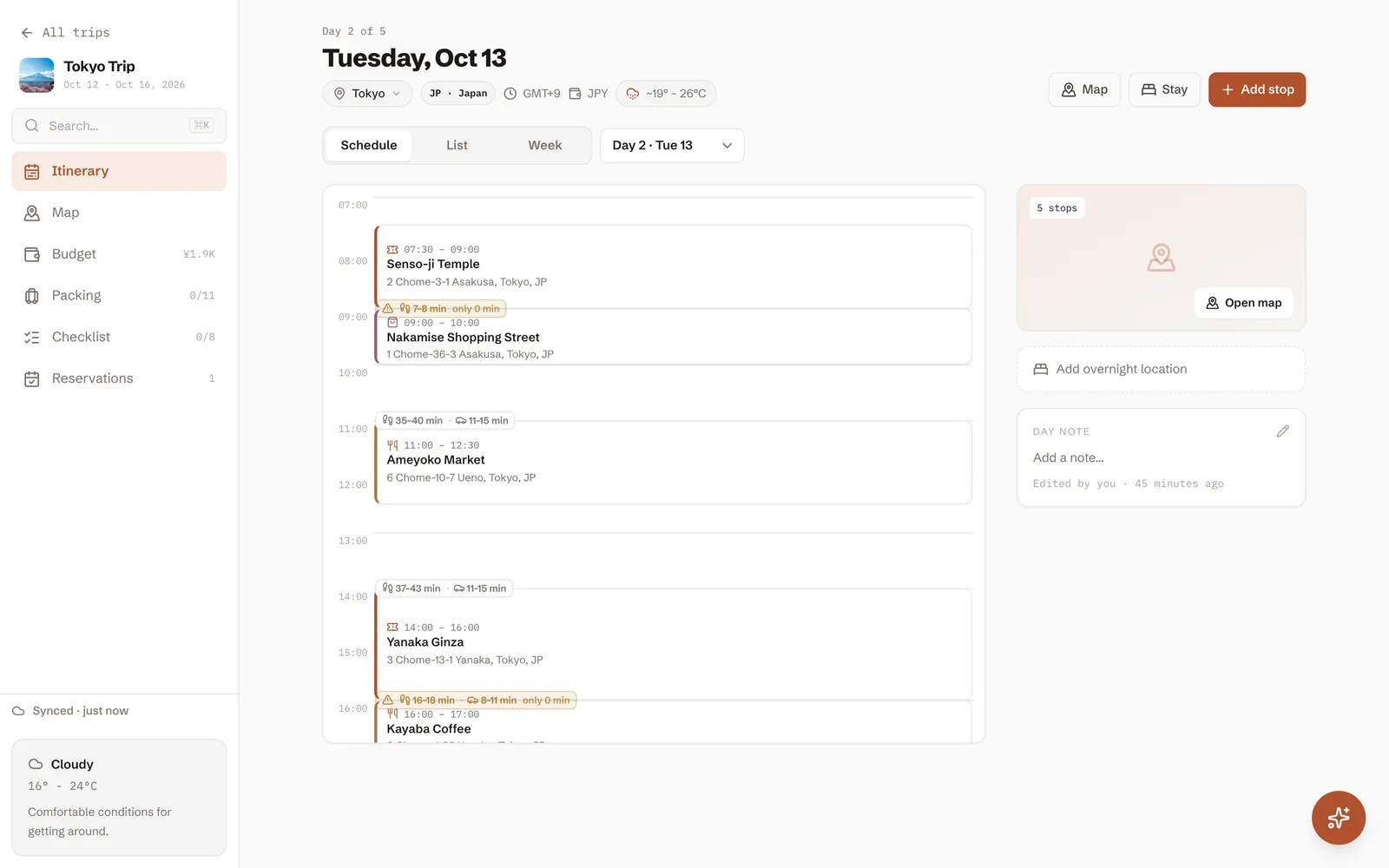
In DimTrip the day view is this table, already filled in. Describe the day to the assistant and it adds the stops with their start times, straight into the trip:
Plan day 2: temples in the morning, lunch near Nishiki Market, a slow afternoon, dinner in Pontocho. Keep it relaxed.
Then adjust it in plain words: "move lunch to 1pm", "add a coffee before Kiyomizu", "day 1 is a Monday, swap anything that is closed". New stops and edits land immediately, and anything it wants to delete waits for your OK.
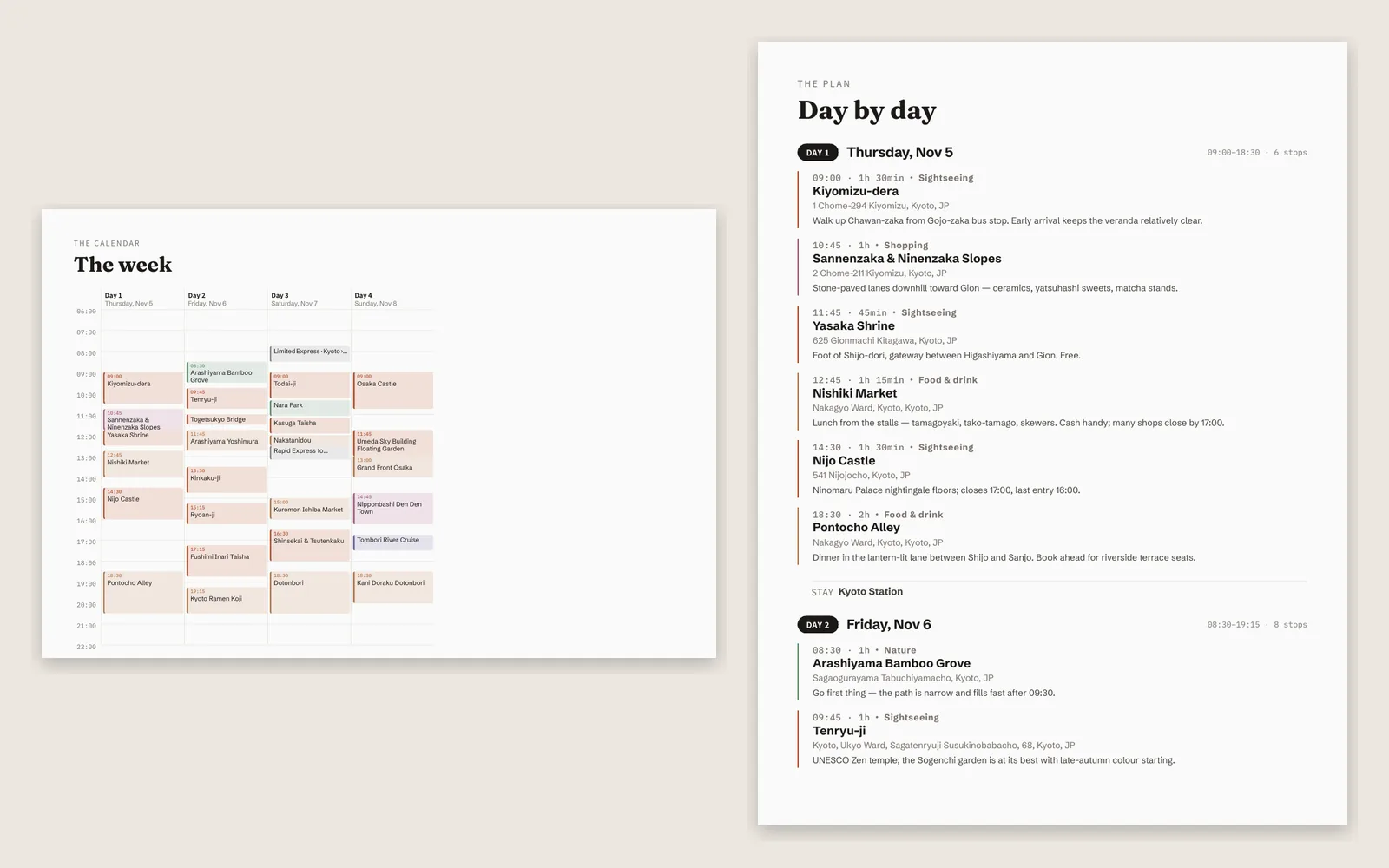
When the plan is ready, export it. The PDF has the whole trip: a day-by-day list with times, a week grid on one landscape page, plus the expenses, packing list and checklist. It works on a phone with no signal.
More guides
- ItineraryTokyo in 5 days, planned by an AI assistantOne request to DimTrip's assistant produced this first visit: food markets, old neighbourhoods, coffee most days and a day trip to Kamakura. Here is the request, the plan and what we fixed in the chat.
- ItineraryKyoto and Osaka in 4 daysKyoto's temples, a morning in Nara and Osaka by night, built by DimTrip's assistant from one request, with both hotels in the trip.
- ItineraryJapan in 10 days: Tokyo, Hakone, Kyoto and OsakaA first trip to Japan in autumn, built by DimTrip's assistant from one request: three days in Tokyo, a ryokan night in Hakone, Kyoto with a day in Nara, and Osaka to finish. Here is the request, every day hour by hour, and what we fixed in the chat.
- ItineraryLondon and Paris in 7 daysFour days in London and three in Paris in December, built by DimTrip's assistant from one request: museums, markets, bookshops, Christmas lights and one afternoon tea. Here is the request, the week hour by hour, and what we fixed in the chat.
- ItineraryPrague, Vienna and Budapest in 7 daysThree capitals by train in late November, built by DimTrip's assistant from one request: Christmas markets, old towns, coffee houses and a thermal bath in Budapest. Here is the request, each day hour by hour, and what we fixed in the chat.
- Itinerary4 days in Mexico City for the Day of the DeadFour days over Día de Muertos, built by DimTrip's assistant from one request: the parade, the altars, murals, markets, museums, a day at Teotihuacán, and coffee and tacos. Here is the request, each day hour by hour, and what we fixed in the chat.
- How toHow to plan a trip with friends without the group-chat chaosSix steps that turn "we should totally go" into a trip that actually happens, with everyone still friends at the end.