How to plan a trip with friends without the group-chat chaos
Six steps that turn "we should totally go" into a trip that actually happens, with everyone still friends at the end.
Updated 11 September 2026
Group trips fail in a predictable way. Someone says "we should totally go", a group chat appears, and forty messages later there are three possible weekends, two spreadsheets and one person quietly doing all the work. What fixes it is a little structure early on, and one plan that everyone can see. Here is how to run it, with the screenshots from a real shared trip in DimTrip.
Step 1: decide the frame before anything else
Before anyone suggests a single restaurant, settle three things in one round:
- Dates. Offer two or three concrete options, not "sometime in spring". A poll with real dates closes in a day; an open question never closes.
- Budget band. Not a number, a band: "flights plus about $100 a day" or "we are doing this properly". People drop out of trips they cannot afford by going quiet, which looks like indecision. A band lets them say so early.
- The point of the trip. Food, hiking, a wedding, doing nothing by a pool. One sentence. Every later argument about the itinerary is really an argument about this.
Whoever proposes the trip runs this round. It is the only part that needs a leader.
Step 2: put the plan in one trip that everyone can see
The group chat is where ideas arrive. It cannot be where the plan lives: messages scroll away, decisions get made twice, and whoever missed an afternoon cannot catch up. Put the plan in one shared trip instead.
In DimTrip you invite people by email and choose, for each person, whether they can edit or only view, and you can change it later. Editors can add and change stops, the budget, packing and reservations; only the owner can rename, delete or share the trip. For someone without an account yet, send an invite link.
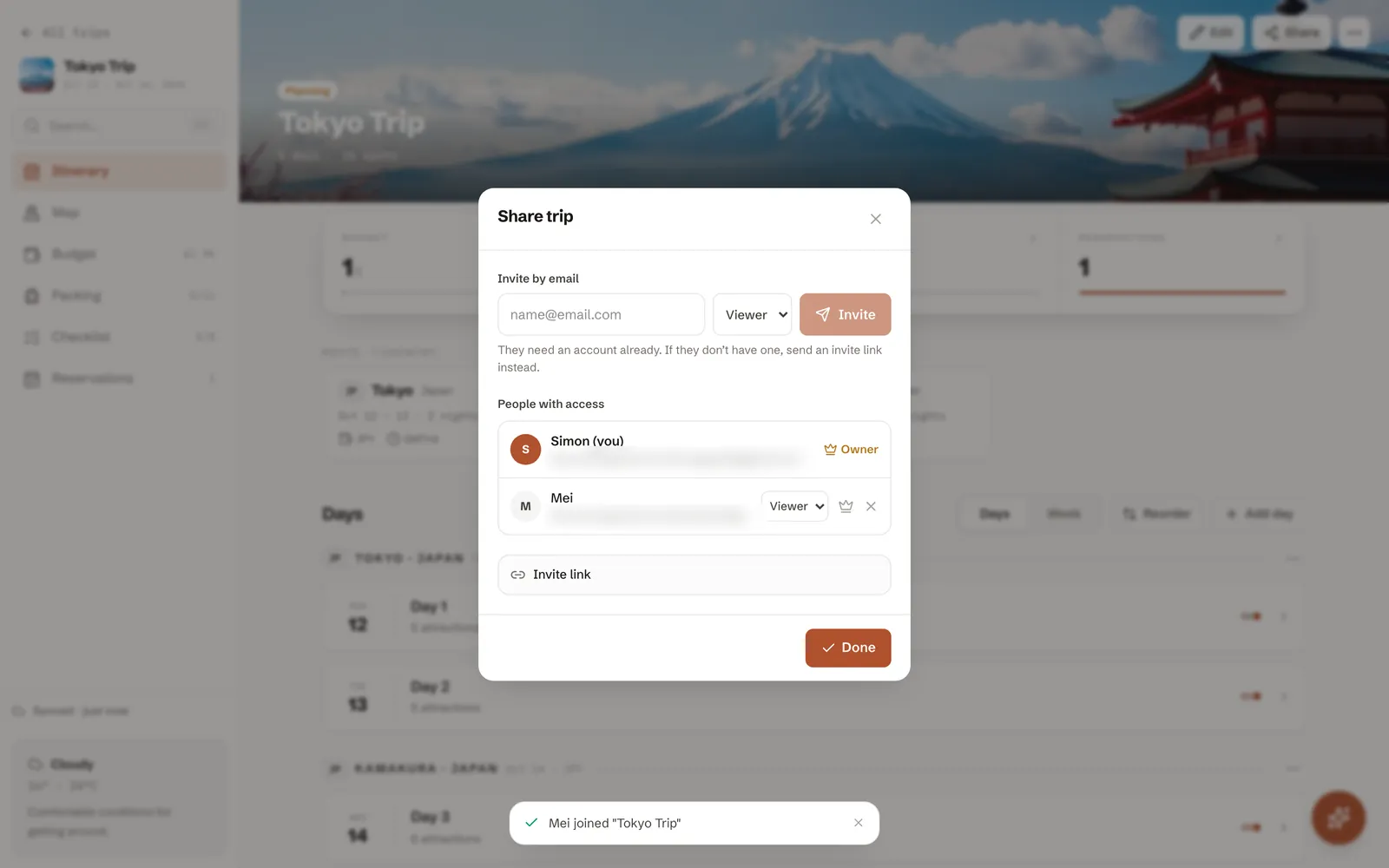
Step 3: let the assistant do the typing
Most of the work in a shared plan is data entry: adding the museum someone mentioned, moving lunch, noting the hotel someone booked. Anyone who can edit can hand that to the assistant in a sentence, such as "add teamLab on Thursday evening" or "move lunch to 1pm", and it changes the trip itself. Everyone else on the trip sees the change arrive, without another message in the group chat.
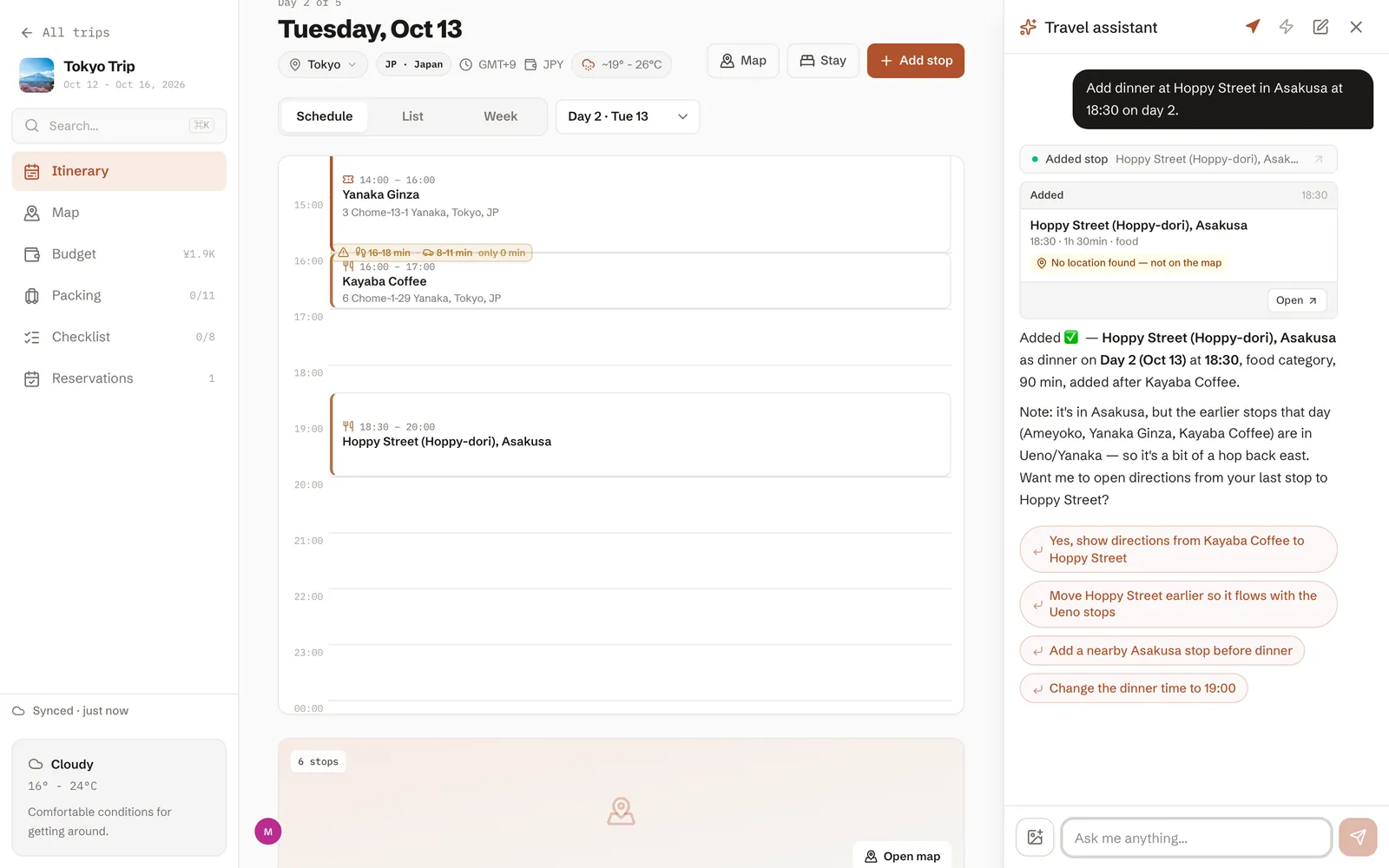
Two rules keep shared editing painless:
- Anyone can add; the group removes. Adding a stop is cheap. Deleting someone else's needs a word first, and in DimTrip even the assistant asks before it deletes anything.
- Each day has a caretaker. Not a dictator: just the person who makes sure that day has a start time and a lunch.
Step 4: anchor the must-dos, then leave gaps
Ask everyone for one thing they would be sad to miss. Put those in first, on the day they fit best, at a time. Then stop. A day with two anchors and open space between them survives contact with reality; a day with nine stops does not. The gaps are where the trip actually happens.
Step 5: make the money boring
Agree how money works before the first shared bill, not after it:
- One person books the accommodation, and everyone pays them their share before departure.
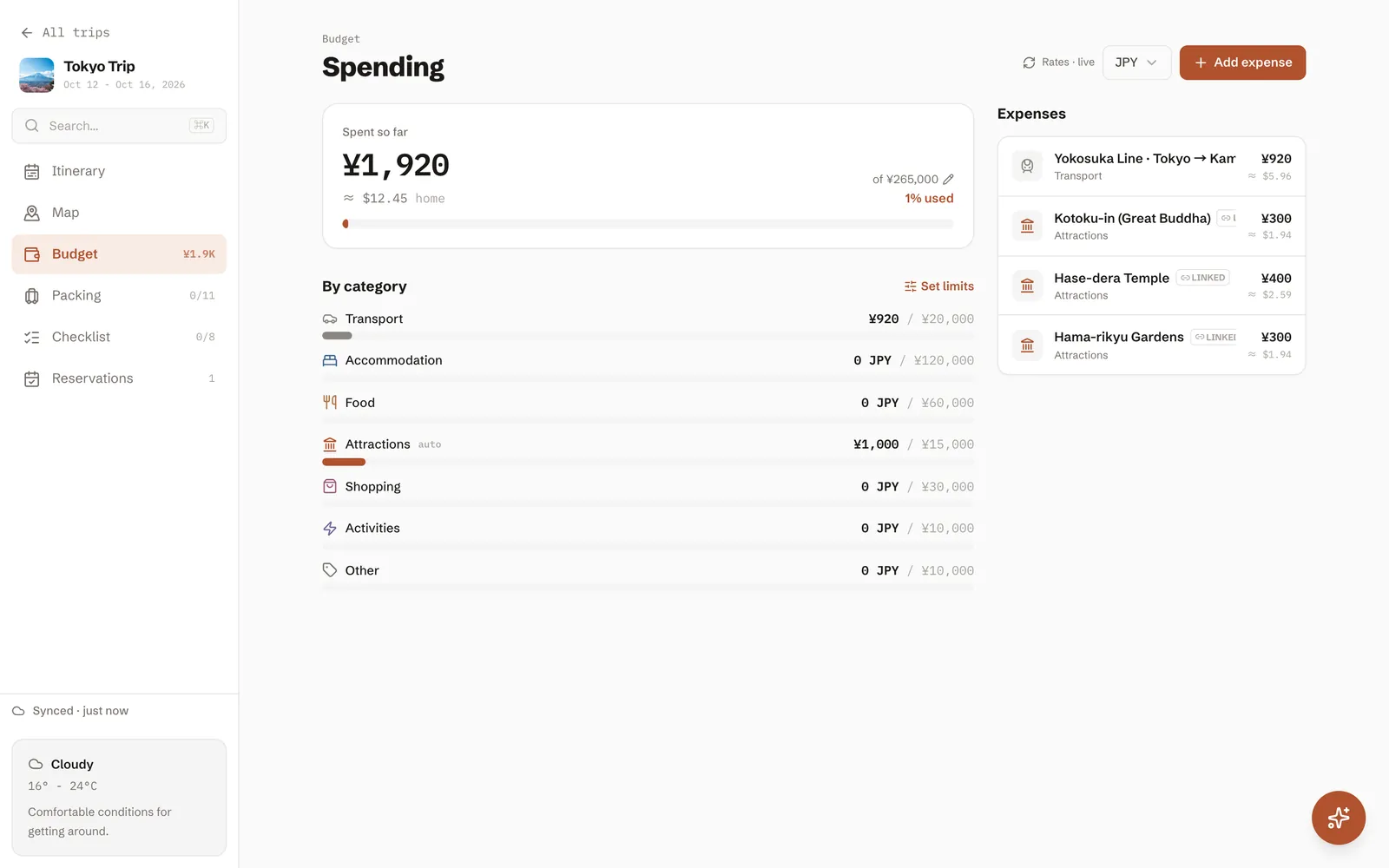
- On the trip, whoever pays logs it straight away, with a note of who it was for. DimTrip's expense log takes 46 currencies with live exchange rates, and everyone on the trip can see it.
- Settle up once, at the end, from the log. Not nightly, and not "I'll get the next one".
Step 6: the week before
- Check the bookings. Make sure every booking has the right names and dates. Read the confirmation; do not just file it.
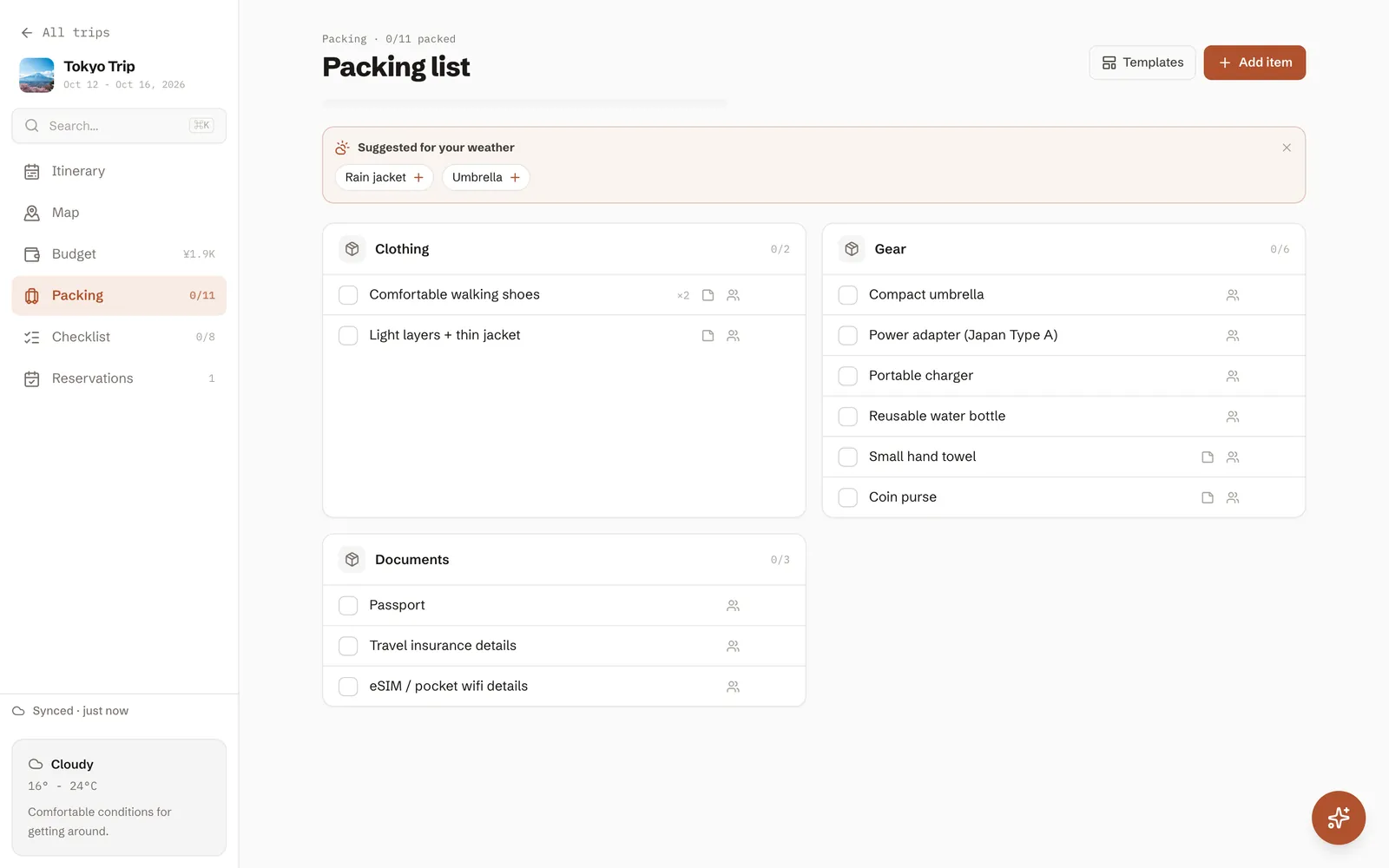
- Share a packing list. Each trip has its own packing list and checklist, and the assistant can start one for you: "make a packing list for two, rain likely". Someone always forgets the adapter; with a shared list, the group brings one between them.
- Export the plan as a PDF for the friend who never installs anything. It covers the whole trip, day by day, and works without a signal, which matters in airports and mountain villages.
On the trip
Whoever is nearest a screen edits, and everyone else sees the change. When plans shift, and they will, the person changing the plan should change the plan, not send a message saying the plan has changed. That is the whole reason it lives in one place. Keep the days honest, keep the gaps, and let the trip be better than the itinerary.
For a trip built this way from a single request, see Tokyo in 5 days.
More guides
- ItineraryTokyo in 5 days, planned by an AI assistantOne request to DimTrip's assistant produced this first visit: food markets, old neighbourhoods, coffee most days and a day trip to Kamakura. Here is the request, the plan and what we fixed in the chat.
- ItineraryKyoto and Osaka in 4 daysKyoto's temples, a morning in Nara and Osaka by night, built by DimTrip's assistant from one request, with both hotels in the trip.
- ItineraryJapan in 10 days: Tokyo, Hakone, Kyoto and OsakaA first trip to Japan in autumn, built by DimTrip's assistant from one request: three days in Tokyo, a ryokan night in Hakone, Kyoto with a day in Nara, and Osaka to finish. Here is the request, every day hour by hour, and what we fixed in the chat.
- ItineraryLondon and Paris in 7 daysFour days in London and three in Paris in December, built by DimTrip's assistant from one request: museums, markets, bookshops, Christmas lights and one afternoon tea. Here is the request, the week hour by hour, and what we fixed in the chat.
- ItineraryPrague, Vienna and Budapest in 7 daysThree capitals by train in late November, built by DimTrip's assistant from one request: Christmas markets, old towns, coffee houses and a thermal bath in Budapest. Here is the request, each day hour by hour, and what we fixed in the chat.
- Itinerary4 days in Mexico City for the Day of the DeadFour days over Día de Muertos, built by DimTrip's assistant from one request: the parade, the altars, murals, markets, museums, a day at Teotihuacán, and coffee and tacos. Here is the request, each day hour by hour, and what we fixed in the chat.
- How toThe hour-by-hour itinerary templateA simple table, four rules of thumb, and one filled-in Kyoto day to copy.